Pet Camera Without a Subscription: What Is Free and What Costs Extra
Most pet cameras stream live video, send basic alerts and use two-way audio for free. Cloud recording, smart alerts and long history usually need a plan.
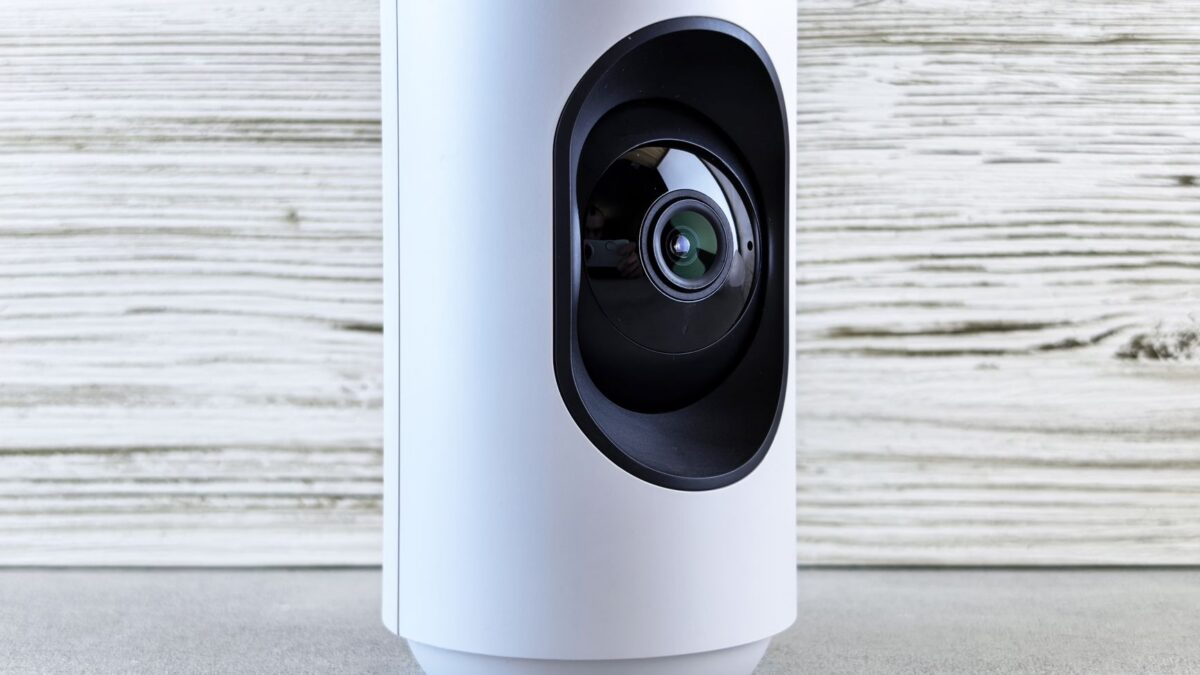
A pet camera without a subscription can still show live video, let you talk to your pet through the speaker and send basic motion or sound alerts on most models. What usually costs extra is cloud video storage, a long event history, and smarter alerts that tell a dog or cat apart from other movement. Cameras with a microSD card slot or a home base station can record locally, which removes the main reason to pay each month.
Which pet camera features are usually free?
Live viewing in the phone app is free on nearly every pet camera sold today, because the camera would be of little use without it. Most free tiers also include:
- live video at the camera’s full resolution;
- two-way audio, so you can hear barking and speak to your pet;
- basic motion and sound notifications to your phone;
- remote treat tossing on models that have a treat dispenser;
- night vision and pan-and-tilt control on cameras that have the hardware.
Treat tossing is a hardware feature, so it works without a plan on the cameras that include it. For a broader look at resolution, field of view and treat dispensers, see our guide on how to choose a pet camera.
What do pet camera subscriptions add?
Subscriptions mostly pay for storage and processing on the maker’s servers. Common paid features include:
- cloud recording of clips or continuous video;
- a longer event history, measured in days or weeks instead of hours;
- pet, person and activity detection, such as alerts when a dog barks or a cat jumps on the counter;
- daily highlight reels or time-lapse summaries;
- extras some brands bundle in, such as vet chat or health tracking.
Some cameras save short motion clips for free but only for a limited time, then delete them. Others save nothing at all without a plan. The free tier differs a lot by brand, so read the plan comparison page on the manufacturer’s own site before buying, and check whether the camera keeps working fully if you cancel.
How can a pet camera record without a subscription?
Local storage is the main way to keep recordings without paying monthly. There are three common setups:
- A microSD card slot in the camera. The camera writes motion clips or continuous video to the card and overwrites the oldest footage when it fills.
- A home base station or hub that stores video from one or more cameras inside your home.
- A network video recorder or a home server that supports the camera’s video stream, which suits people who already run one.
With a card or base station, you usually play back recordings in the same app. Buy a card type and size the manufacturer lists as supported, since unsupported cards can cause recording errors. Some cameras only record to the card when motion is detected, so short events may be missed between clips.
What are the downsides of skipping the plan?
A camera without cloud storage loses its recordings if it is stolen, broken or unplugged, because the footage is stored on the device. Alerts on free tiers are often less precise: a passing car’s headlights or a moving curtain can trigger the same notification as your pet. Free history may also be short, so a problem from the morning can be gone by evening.
If you want a camera mainly to watch your pet live during the day or to check on a pet sitter, these limits matter little. If you need proof of what happened while you were away, such as damage or a missed walk, recorded video becomes more important. Our comparison of dog boarding, pet sitters and dog walkers covers the care options a camera is often paired with.
How do you keep a pet camera secure without a paid plan?
Security does not depend on a subscription. The steps that protect a free camera are the same as for any internet-connected device:
- set a strong, unique password for the camera account;
- turn on two-factor sign-in if the app offers it;
- install firmware and app updates when they appear;
- place the camera where it sees your pet’s area and not bedrooms or bathrooms;
- use the privacy mode or lens cover when you are home.
The Federal Trade Commission’s consumer site has general advice on securing smart home devices and accounts.
What should you check before buying a camera to use free?
Before buying, look for these points on the box and the manufacturer’s site:
- a microSD slot or base station, if you want recordings;
- which alerts work on the free tier;
- how long free clips are kept, if any;
- whether the app requires an account and an internet connection to view video;
- the Wi-Fi bands the camera supports, since many cameras connect only on 2.4 GHz.
Reviews that list “subscription required” for a feature you want are a sign to keep looking.
Quick answers
Can a pet camera work without Wi-Fi?
Some cameras with a microSD card can record without Wi-Fi, but live viewing on your phone and alerts need the camera to be online.
Does treat tossing need a subscription?
On most treat-tossing cameras, remote tossing works on the free tier because it uses the camera’s built-in dispenser. Check the brand’s plan page to confirm.
Will a camera stop working if I cancel the plan?
Most keep live view and two-way audio after cancellation, while cloud clips and smart alerts stop. Saved cloud recordings may be deleted, so download any you want first.
Is a pet camera useful for checking on a sick pet?
A camera can show whether a pet is eating, moving or resting, but it cannot tell you what is wrong. If you see signs that worry you, call your veterinarian, or an emergency vet if it cannot wait.